Techsterr: Gadgets, Reviews, Tutorials PHTechsterr: Gadgets, Reviews, Tutorials PH

    Subscribe to Updates

    Get the latest creative news from FooBar about art, design and business.

    What's Hot

    Finding Ease in Manila’s Daily Traffic: How Green GSM Electric Taxis Support Drivers and Commuters

    January 9, 2026

    Remitly and Coins.ph Leverage Stablecoin Technology to Transform Cross-Border Payments to the Philippines

    January 9, 2026

    Here’s Why the HUAWEI MatePad 12 X (2026) Is the Smartest Investment this New Year to Transform Your Productivity and Career

    December 19, 2025
    Facebook Twitter Instagram
    • Contact
    • About techsterr.com
    Facebook Twitter Instagram
    Techsterr: Gadgets, Reviews, Tutorials PHTechsterr: Gadgets, Reviews, Tutorials PH
    • Home
    • Technology
    • Entertainment
    • Lifestyle
    • Reviews
    Techsterr: Gadgets, Reviews, Tutorials PHTechsterr: Gadgets, Reviews, Tutorials PH
    Home»Technology»Mobile Phones»Smartphones»Free Apps»Android»Google+ Sign-In provides a simple, trusted, and secure experience for your users.

    Google+ Sign-In provides a simple, trusted, and secure experience for your users.

    montschBy montschFebruary 28, 2013No Comments2 Mins Read
    Facebook Twitter Pinterest LinkedIn Tumblr Reddit Telegram Email
    Share
    Facebook Twitter LinkedIn Pinterest Email

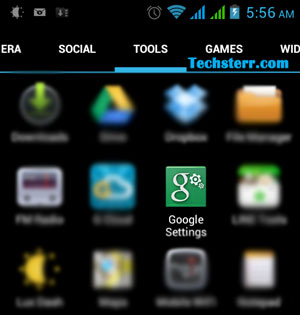
    You might be surprised to see a new app icon in your drawer. Don’t fret, it’s not a malware or virus. It’s the new Android app called Google Settings, which pulls together a selection of settings, including the new Google+ Sign-in feature.
    google-settings2

    As far as its functionality, it’s almost like an extension of the settings menu you already have under your Settings > Accounts > Google options, giving you the exact same options you’d find there, with the addition of some Google+ sign-in settings as well.

    google-settings

    What is Google+ sign-in?
    Google+ Sign-in allows you to use your Google ID as a universal sign-in for online apps and services, just like the same way as you’ve been able to with your Facebook log-in.

    Using the “Sign in with Google” button, you can sign in to third-party websites, mobile apps, games, and other online services )generally referred as “apps” without having to create another username and password. You can get controls over what info is seen by the app and who can see activities you can take in that app on Google.

    Benefits of signing in with Google

    • One Google sign-in, everywhere
      Say goodbye to the hassle of having to remember multiple usernames and passwords.
    • Make apps even better
      Bring your Google+ profile, friends, photos and more to other sites and apps.
    • Share selectively
      You’re in control of who can see your activity. Your info, your choice.

    You’ll find the green Google Settings app icon in your app drawer. If not, you can clear the Google Play services data (under Settings > Apps > All) and restart your device to force the update.

    Google Settings Google+ Sign-in
    Share. Facebook Twitter Pinterest LinkedIn Tumblr Email
    Previous ArticleHow the Blackberry Z10 Helps Businesses
    Next Article Globe GMESSAGE now available to iPhone users
    montsch

    Related Posts

    OPPO’s 8.8 Sale: Amazing Deals and Discounts

    August 4, 2024

    Maine Mendoza, other celebs, shoot beyond limits with new Vivo V17 Pro

    October 10, 2019

    [Price Drop] Vivo Y17 smartphone now available for only P10,999

    October 8, 2019

    Leave A Reply Cancel Reply

    This site uses Akismet to reduce spam. Learn how your comment data is processed.

    Don't Miss

    Finding Ease in Manila’s Daily Traffic: How Green GSM Electric Taxis Support Drivers and Commuters

    Lifestyle January 9, 2026

    Traffic doesn’t just slow you down—it quietly takes from you. Hours are lost in standstill…

    Remitly and Coins.ph Leverage Stablecoin Technology to Transform Cross-Border Payments to the Philippines

    January 9, 2026

    Here’s Why the HUAWEI MatePad 12 X (2026) Is the Smartest Investment this New Year to Transform Your Productivity and Career

    December 19, 2025

    Power in Your Hands: Coins.ph Becomes the Philippines’ Everyday All-in-One Financial App

    December 13, 2025
    About Us

    Techsterr.com, established in 2008, is an innovative tech blog dedicated to discovering the latest and most captivating gadgets available.

    The creation of Techsterr.com was driven by a genuine love for all things tech, including gadgets, apps, developers, and the vast potential of the internet. By combining these four elements, we envisioned a platform that could cater to tech enthusiasts worldwide.

    Our Picks

    Finding Ease in Manila’s Daily Traffic: How Green GSM Electric Taxis Support Drivers and Commuters

    January 9, 2026

    Remitly and Coins.ph Leverage Stablecoin Technology to Transform Cross-Border Payments to the Philippines

    January 9, 2026

    Here’s Why the HUAWEI MatePad 12 X (2026) Is the Smartest Investment this New Year to Transform Your Productivity and Career

    December 19, 2025
    New Comments
    • onlywikis.com on The Evolution of the Galaxy Tab: How Samsung is Pushing the Boundaries in the Premium Tablet Market
    • Laebrkaes on How to import .VCF contacts to Blackberry Smartphones
    • Analiza P. Torres on How to Avoid GCASH Scams
    • MB on How to import .VCF contacts to Blackberry Smartphones

    Type above and press Enter to search. Press Esc to cancel.